
In this article

To manage stock across multiple warehouses, keep one item list across the business, track quantity separately for each location, record every movement as a transfer rather than an adjustment, limit staff to their own location, set reorder levels, and count stock on a regular schedule. Most stock mismatches come from unrecorded movements, not theft or arithmetic.
Here's how to set this up without an expensive system.
Why stock goes wrong with more than one location
A single location hides a lot of problems. With two or more, they show up quickly:
- Goods move in a tempo, and nobody records it.
- The same item is called different things at each location.
- A salesman promises stock that's actually at the other warehouse.
- One warehouse is out of stock while another has months of it.
- Totals look right, but each location is wrong.
- Everyone can edit everything, so nobody can tell who changed what.
Step 1: Keep one item list
Every location should use the same item name and code. "PVC Pipe 1in", "1 inch pipe" and "Pipe PVC 1" should be one item.
Before you start:
- Export or list all your items.
- Merge duplicates and agree on a naming pattern, such as brand, type, size, then pack.
- Set a base unit, and a clear conversion if you buy in cartons and sell in pieces.
- Assign one person to approve new items.
Step 2: Track quantity by location
For every item, you should be able to answer three questions: how many do we have in total, how many are at each warehouse, and how many of those are already promised?
A simple view looks like this (sample numbers):
| Item | Main warehouse | City warehouse | Total |
|---|---|---|---|
| PVC Pipe 1 inch | 400 | 120 | 520 |
| Wire 1.5 mm | 60 | 0 | 60 |
| Switch box | 15 | 90 | 105 |
This table immediately shows that your City warehouse has no wire, and that switch boxes may be sitting in the wrong place.
Step 3: Record every movement as a transfer
This is the most important habit. A transfer moves stock between locations, and the total stays the same. If you record it as a reduction at one place and an addition at another, your reports get harder to trust.
| Good process | What it prevents |
|---|---|
| Sender records the transfer before dispatch | Goods moving with no record |
| Paper or message travels with the goods | Disputes about what was sent |
| Receiver counts on arrival | Missing goods found weeks later |
| Differences are reported the same day | Stock gaps nobody can explain |
If goods are transferred between GST registrations in different states, it can be a taxable supply, and a transfer of goods can need a delivery challan or e-way bill. Ask your CA. See also our guide on e-invoices and e-way bills.
Step 4: Control who can do what
Give each person only the access their job needs.
| Role | Should be able to | Shouldn't be able to |
|---|---|---|
| Warehouse staff | Pick, pack, record receipts for their location | See or change other locations |
| Billing staff | Create invoices from their location | Adjust stock quantities |
| Manager | Approve transfers and adjustments | |
| Owner | See all locations and reports |
Stock adjustments deserve special care. Require a reason each time, and let only a manager or owner approve them.
Step 5: Set reorder levels by location
A single reorder level across all your locations can be misleading. Set a level for each item based on:
Reorder level = average daily sales × supplier delivery days + safety stock
Sample: you sell 10 units a day, your supplier takes 5 days, and you keep 20 extra. Your reorder level is 10 × 5 + 20 = 70 units.
Check transfers before buying. A shortage at one warehouse may be covered by another.
Step 6: Count on a schedule
Counting everything once a year is too slow. Use cycle counts: a small group of items, often.
| Item type | How often to count |
|---|---|
| Fast-moving or high-value | Weekly |
| Regular items | Monthly |
| Slow-moving items | Quarterly |
A good count:
- Pause movement for the items being counted, or count at a quiet time.
- Have someone count who doesn't normally manage that stock.
- Compare to the system only after the count.
- Investigate big differences before adjusting.
- Record every adjustment with a reason.
Step 7: Watch dead stock and expiry
Stock that doesn't move ties up cash. Once a month, list items that haven't sold in 90 days and decide: move them to a location where they sell, offer them at a discount, or stop reordering.
If you sell items with an expiry date, track batches and sell the earliest expiry first.
A monthly routine
- Week 1: Review low stock and plan purchases.
- Week 2: Cycle count fast-moving items.
- Week 3: Clear any open transfers and differences.
- Week 4: Review dead stock and adjustments, by person and by reason.
How KhataBhai handles multiple warehouses
- Warehouses: add your locations. KhataBhai keeps a per-warehouse breakdown and an overall total for each item.
- Stock Transfers: move stock between warehouses, and the total stays unchanged.
- Stock Journals: repackaging and converting units between items.
- Stock location for Staff: set one for a staff member. The invoices they create come out of that location, and they can only see its stock.
- Reorder: lists items at or below their low-stock alert, and the owner gets a daily WhatsApp alert.
- Batch & Expiry Tracking: an optional module with first-expiry-first-out billing.
- Price tiers: set different prices for different types of customer.
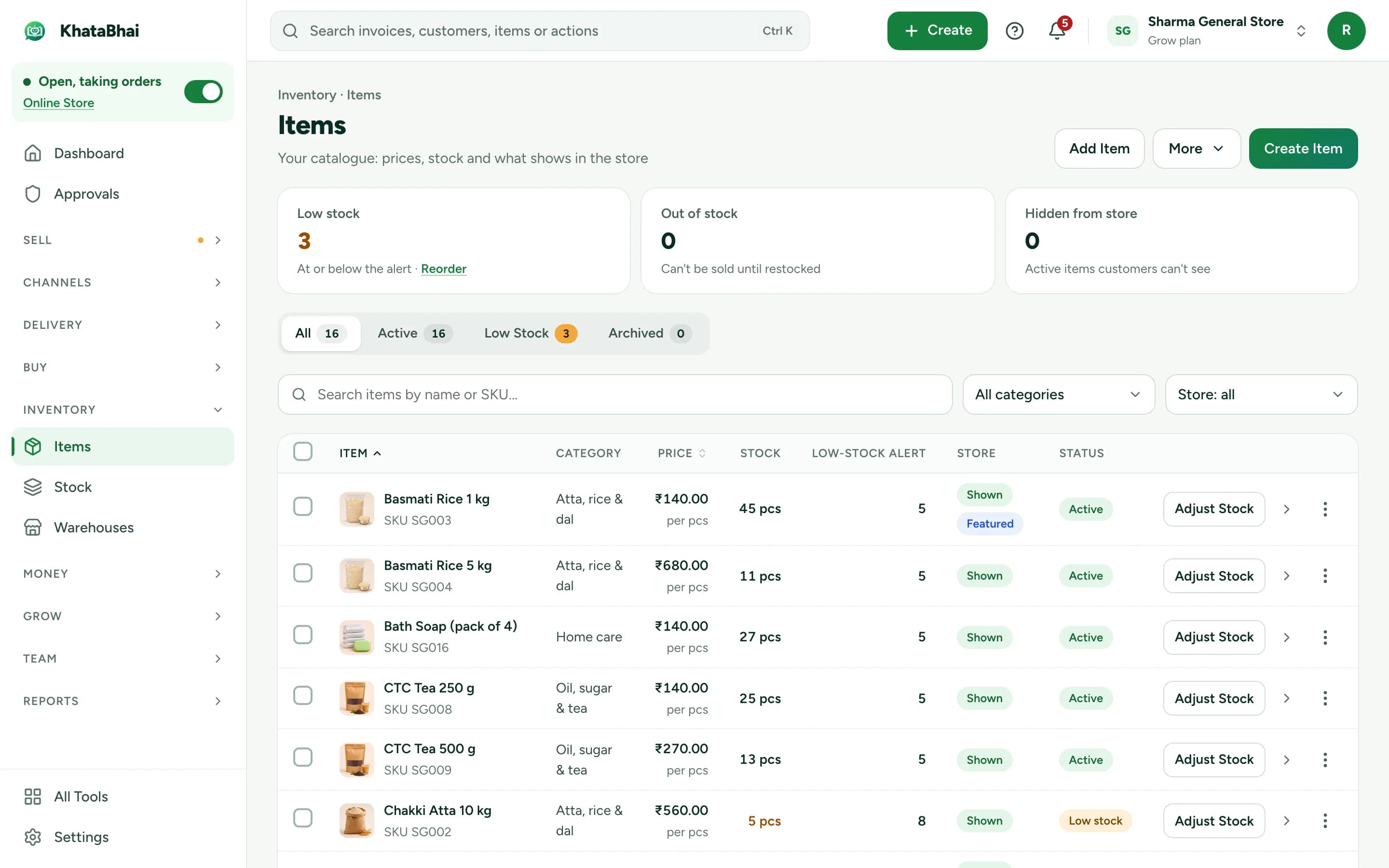
A sample items screen, shown with demo data.
Stock moves at the invoice, including orders that come from your Online Store, so your store and your warehouses stay on one set of numbers. See how stock works in KhataBhai, or see how wholesale businesses use it.
Frequently asked questions
Do I need special warehouse software?
Not at first. Large automated warehouses may need a full warehouse management system, but many distributors just need accurate quantities by location, proper transfers and clear permissions.
How do I stop stock mismatches?
Record every movement when it happens, limit who can adjust stock, and count small batches often. When a difference appears, find the cause rather than simply adjusting the number.
What's the difference between a stock transfer and a stock adjustment?
A transfer moves stock between locations with no change in the total. An adjustment changes the total, for example because of damage or a count difference, and should always have a reason.
How do I decide where to keep stock?
Look at which location each item sells from. Keep fast-moving items close to the customers who buy them, and keep slower items at one central location. Our guide on choosing billing software covers what to check next.