
Electronics
Run your electronics business with every serial number on record.
Every unit has a serial number, and every customer comes back with questions about what they bought. KhataBhai keeps both on record, next to your stock and dues.

Invoice · Rahul Mehta
Your KhataBhai · new invoice
Serial numbers picked
Each serial number is saved on the invoice line.
Sound familiar?
What electronics owners tell us, and how KhataBhai handles each one.
- Serial numbers are noted on paper and can't be found later.
- KhataBhai: Turn on serial numbers for an item and pick them on each sale. They're saved on the invoice.
- Stock of fast-moving models runs out without warning.
- KhataBhai: Stock follows every sale and purchase, with low stock alerts and purchase orders in one step.
- Customers on credit forget what they owe.
- KhataBhai: Every customer has their invoices, payments and dues on one page, with reminders on WhatsApp.
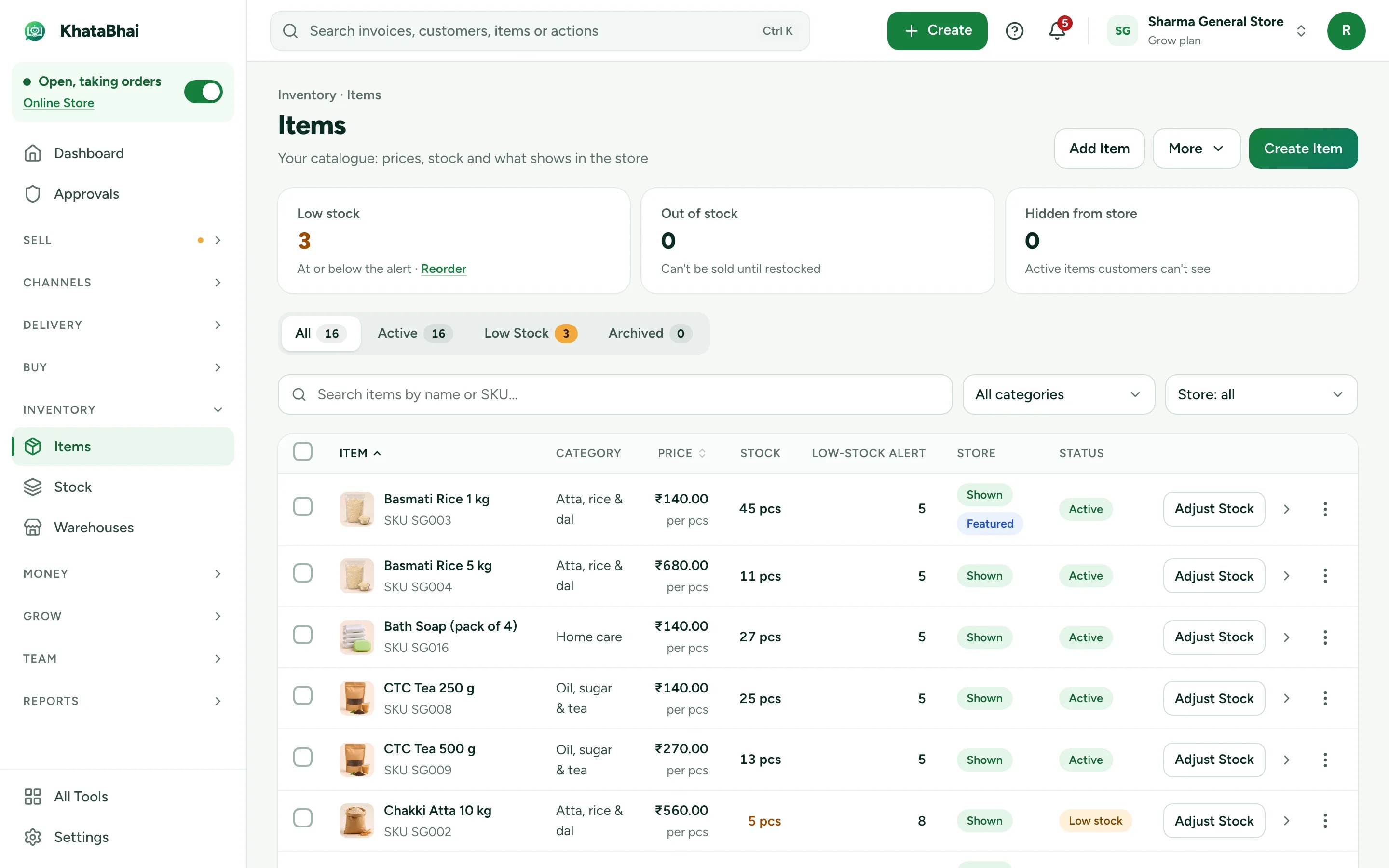
Stock you can trust
Models, variants and serial numbers in one items list, updated with every sale and purchase.
- Serial numbers picked on each sale
- Low stock alerts
- Purchase orders and supplier dues
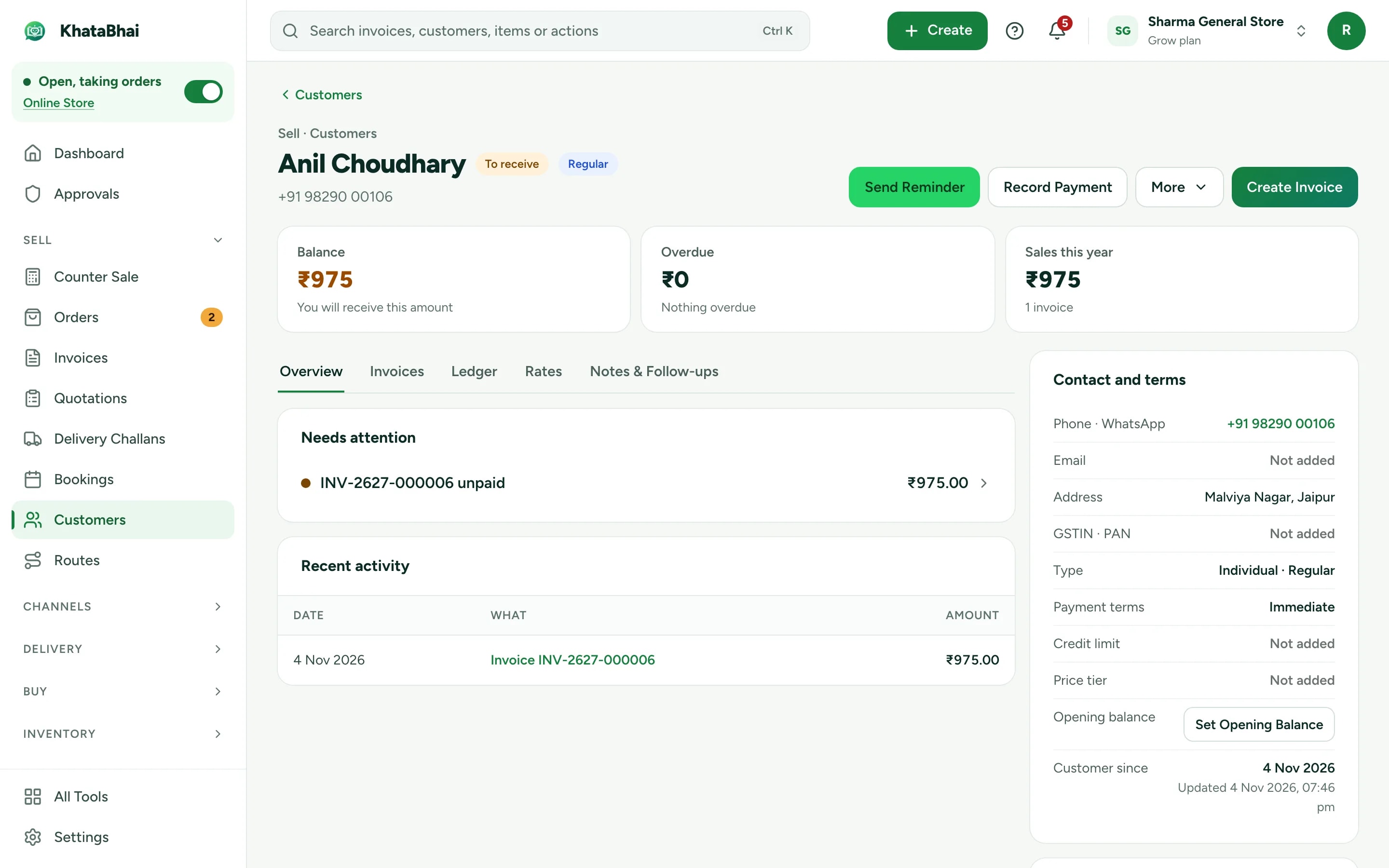
Every customer's history in one place
See what a customer bought, when, and what they still owe.
- Invoices and payments per customer
- Reminders on WhatsApp (Essential and above)
- GST invoices, GST reports and a Tally export
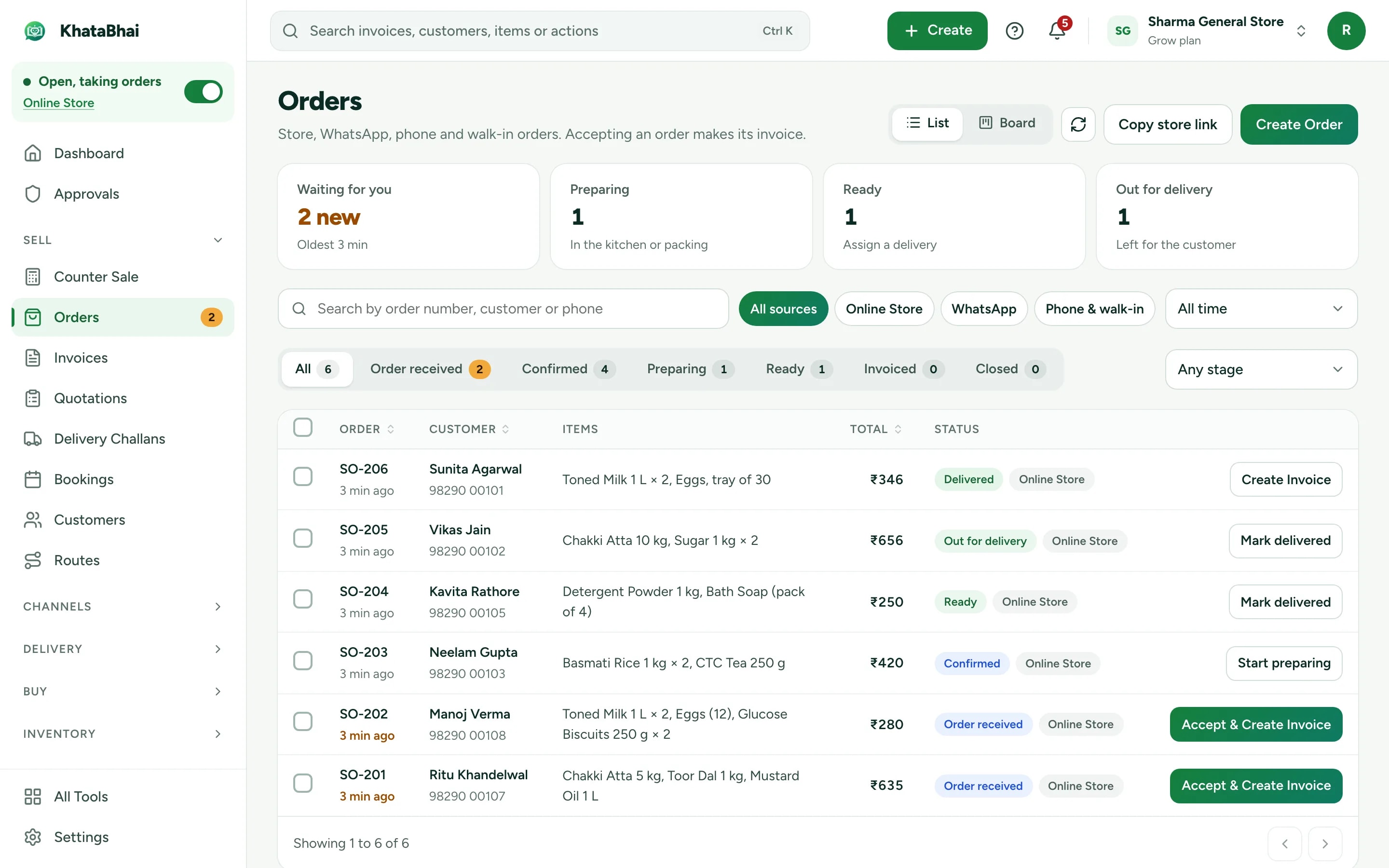
Your range online
Put your catalog on a store link, or on your own domain, and take orders into the same records.
- Your own domain on Grow and above
- Accept and invoice in one step
- Your store link and online orders are on Essential and above.
A normal day in KhataBhai.
- 1
A customer picks a model
Your customer - 2
You create the invoice and pick the serial numbers
You - 3
Stock for that model goes down
Automatic - 4
The payment is recorded: cash, UPI or on credit
You - 5
Months later, open their invoice to find the serial number
You - 6
Fast seller running low? Raise a purchase order in one step
You
Getting started
Sign up with your phone number and add your items. For a electronics business, most owners start with Serial numbers, Stock and Payment reminders, and turn on the rest when they need it.
Sign up with your phone number
On the web or on WhatsApp. You confirm with a code sent on WhatsApp, no password.
Add your items and customers
One by one, or import an Excel or CSV file. Add opening balances too.
Create your first invoice
On the web or by message. Share the PDF on WhatsApp.
Turn on your Online Store
Pick a design, choose delivery or pickup and share your link. Online orders land in the same records.
FAQ
Questions, answered.
More in the help centre, or ask us on WhatsApp.
Can I record serial numbers?
Yes. Turn on serial numbers for an item, and pick them on each sale.
Can I see what a customer bought before?
Yes. Every customer has their full list of invoices and payments.
Does it do GST?
Yes. GST invoices, GST reports and a Tally export.