
Wholesale & Distribution
Run your distribution business, from order to collection.
A distributor's day runs on salesmen, vans and collections. KhataBhai gives each salesman his route, turns shop orders into deliveries and invoices, and settles the cash at the end of the day.

Sound familiar?
What wholesale & distribution owners tell us, and how KhataBhai handles each one.
- Orders come in by phone and paper, and some never reach the warehouse.
- KhataBhai: Salesmen take Sales Orders at the shop on their phone. The warehouse sees what to load, and nothing is retyped.
- You don't know what each van is carrying or what the salesman collected.
- KhataBhai: Van stock and loading (Grow and above), and each salesman's cash, UPI and cheque collections settled at the end of the day.
- Retailer dues are always a few days out of date.
- KhataBhai: Every invoice and payment updates the retailer's balance the moment it's recorded, with reminders on WhatsApp.
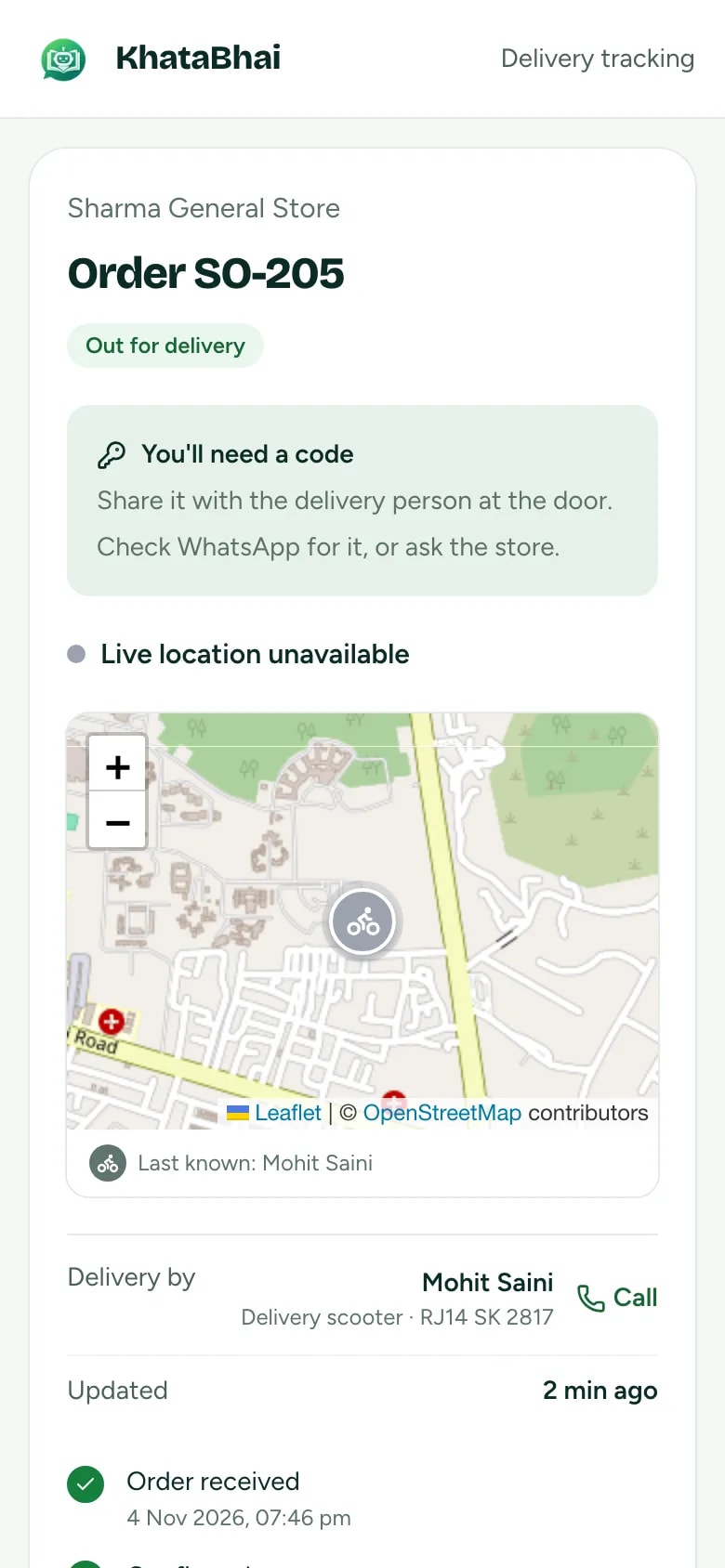
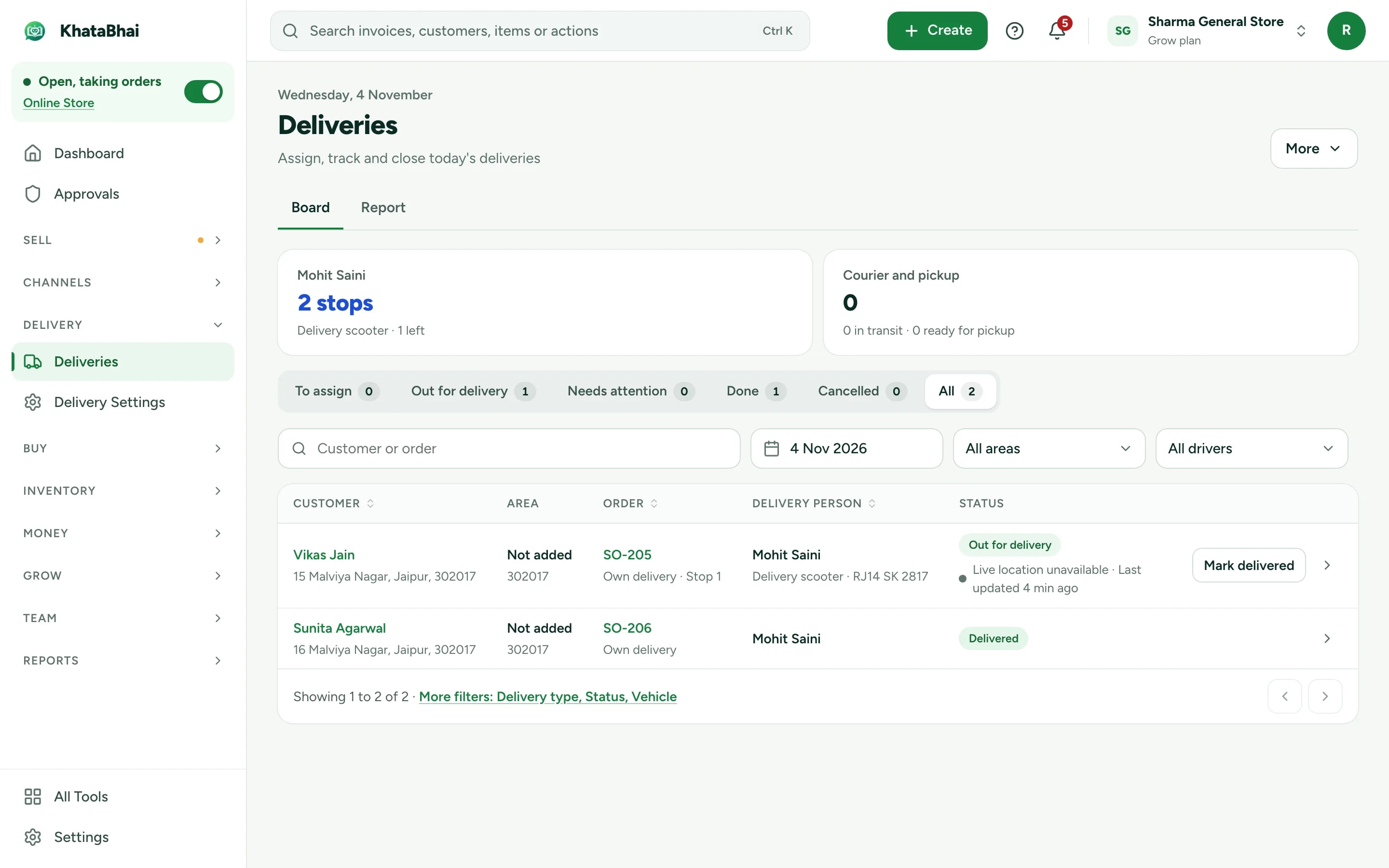
Orders, loading and delivery on one board
See what's loaded, out for delivery, delivered or late, and which driver has it. Delivery Challans cover goods that go out before the invoice.
- Routes with each day's shops and visits (Grow and above)
- Sales Orders loaded, delivered and invoiced
- Delivery code, photo or signature at the door
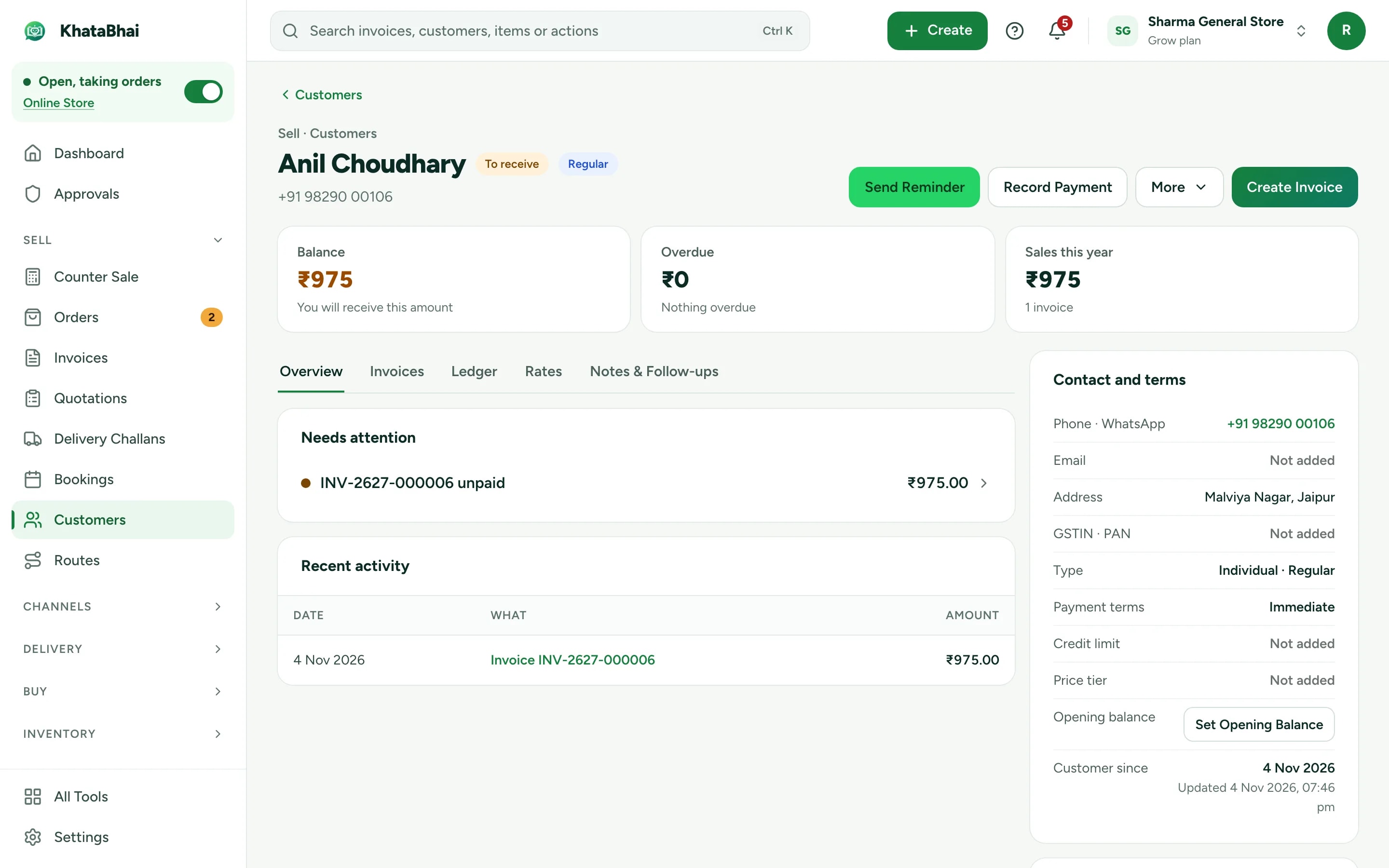
Every retailer's dues, up to date
A page per retailer with invoices, payments and what's still owed, and a reminder in one tap.
- Price tiers, special rates and credit limits
- Cheques tracked until they clear
- Quotations, Delivery Challans and Credit Notes
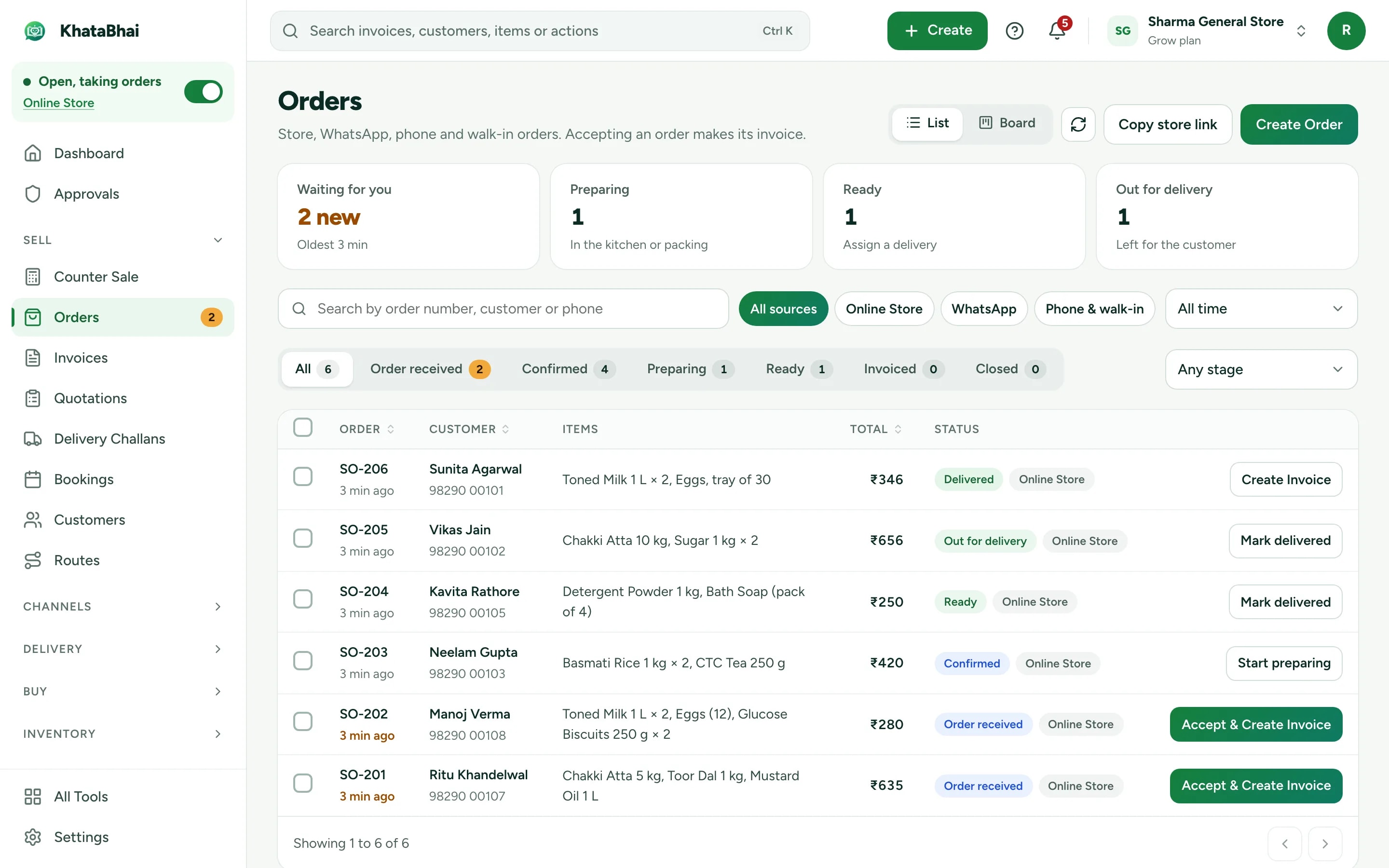
A store link for your retailers
Retailers order from your catalog instead of calling. Orders reach you as Sales Orders to accept and invoice.
- Prices shown only to buyers you approve (Grow and above)
- Catalog only, or a minimum order
- Your store link and online orders are on Essential and above.
A normal day in KhataBhai.
- 1
Buy stock from suppliers against purchase orders
You - 2
Your salesman opens today's route and visits shops
You - 3
They take the order at the shop
You - 4
The warehouse loads the van
You - 5
Goods delivered and invoiced
You - 6
Payment collected and settled at the end of the day
You - 7
Every shop's dues update on their own
Automatic
Getting started
Sign up with your phone number and add your items. For a wholesale & distribution business, most owners start with Sales Orders, Routes and van stock and Collections, and turn on the rest when they need it.
Sign up with your phone number
On the web or on WhatsApp. You confirm with a code sent on WhatsApp, no password.
Add your items and customers
One by one, or import an Excel or CSV file. Add opening balances too.
Create your first invoice
On the web or by message. Share the PDF on WhatsApp.
Turn on your Online Store
Pick a design, choose delivery or pickup and share your link. Online orders land in the same records.
FAQ
Questions, answered.
More in the help centre, or ask us on WhatsApp.
Does my salesman need a separate app?
No. He opens KhataBhai in his phone's browser to see his route for the day. He only sees what his role allows.
Can I stop salesmen from seeing amounts or changing prices?
Yes. Roles control what each person can see and do, including hiding amounts and blocking price changes.
Can I use more than one warehouse?
Yes, on Grow and above. Keep stock in several Warehouses and move it between them with stock transfers.
Keep exploring
- Other business typesEach type of business, with its own day.Open
- Billing & businessHow a sale updates stock, dues and Reports, step by step.Open
- Online StoreYour store link and online orders are on Essential and above.Open
- Billing on WhatsApp: Wholesalers & DistributorsInvoices and quotations by message, voice note or photo, in Hinglish.Open
- Van stock, salesman settlement and chequesHow the van day-close, collection settlement and cheque tracking work, with the limits of each.Open